A color blind simulator for the camera and your photos
Colors shows the world the way colorblind people see it: live through your camera, in fifty photos from around the world, or in your own pictures. Pick a kind of color vision, set how strong it is, and look.
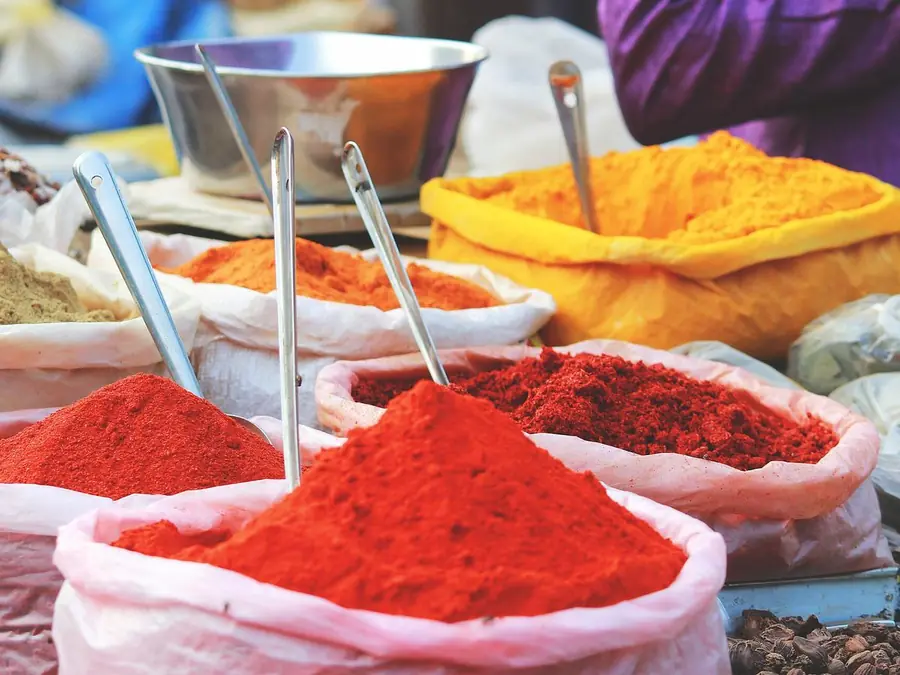 Typical
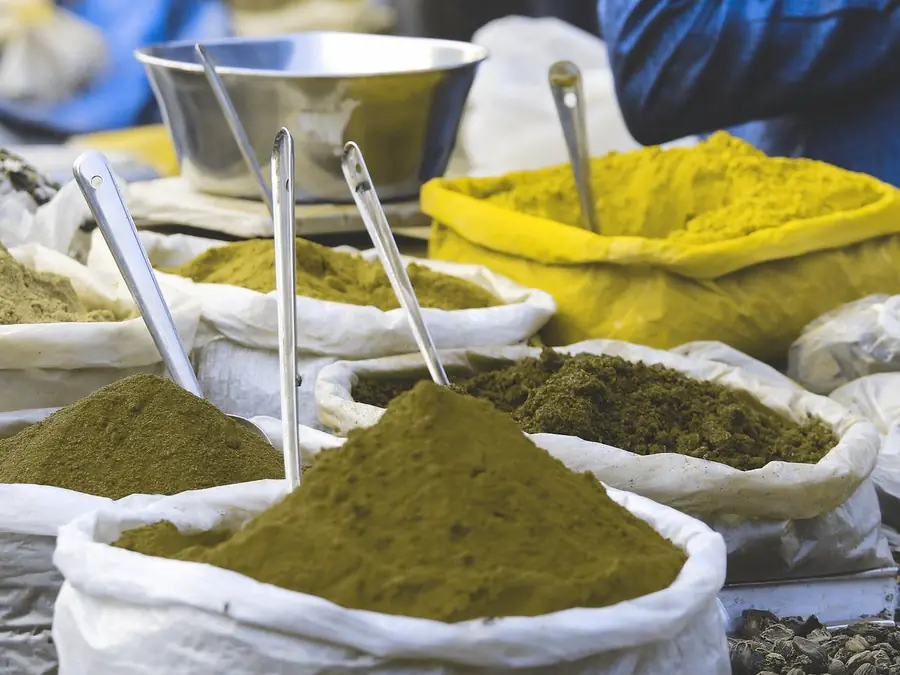 Protan
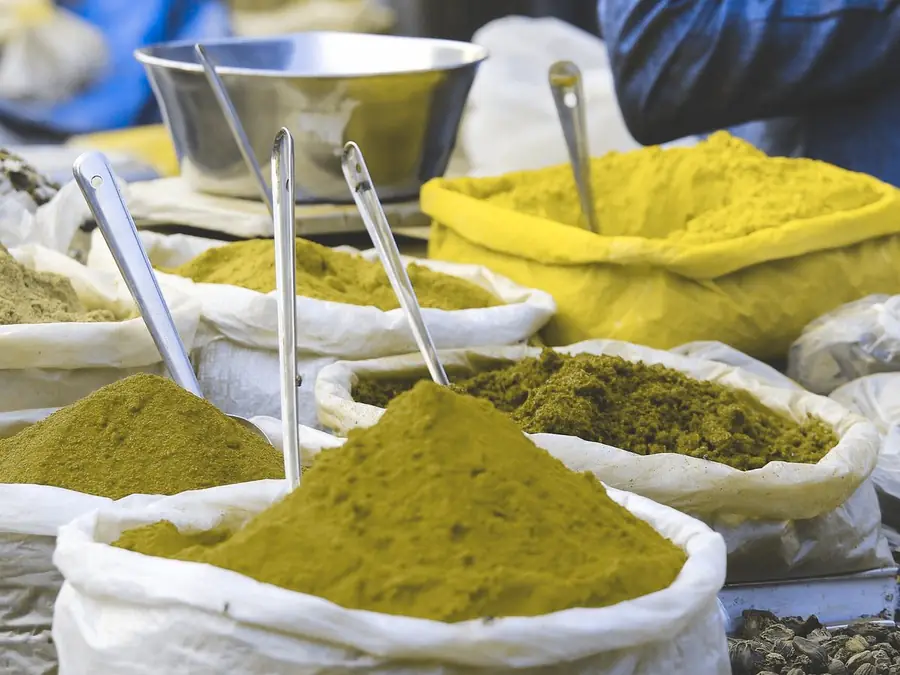 Deutan
 Tritan
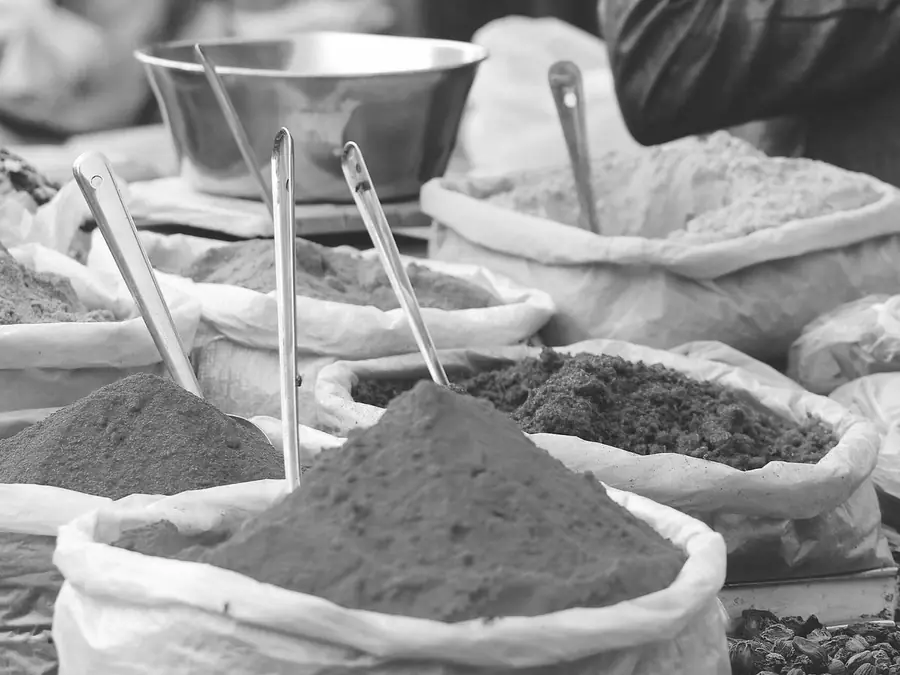 Mono
MonoThree ways to look
- The live camera. Point your phone at anything and see it in another kind of color vision. Split view shows typical vision and the simulation together, and one tap turns it into a picture to share.
- The gallery. Fifty photos chosen because color matters in them: the Golden Gate Bridge, Fushimi Inari, tulip fields, traffic lights, strawberries, Van Gogh and Rembrandt.
- Your own photos. Choose pictures from your library and see them all at once the way someone else sees them. Your first 6 are free.
Every kind comes with a strength slider, from a mild -anomaly to the complete -anopia, and Enhance mode does the opposite of a simulation: it shifts the colors a colorblind eye would miss into ones it can tell apart.
How the simulation works
Colors uses the physiologically based model of Machado, Oliveira and Fernandes (2009), widely used in research and accessibility tools. For each kind of color vision it works out how the cone signals change and turns that into a color transformation applied to every pixel, many times a second for the camera. The strength slider blends between typical vision and the complete form. Monochromacy keeps only each pixel's lightness.
Who uses a color blind simulator
- Partners, parents and friends of colorblind people, to finally see what they see.
- Colorblind people, to show others what they see, and to use Enhance mode for the colors they mix up.
- Designers and developers, to check charts, maps and screens. The rule of thumb, also in the WCAG accessibility guidelines: never use color as the only way to tell things apart.
- Teachers, to show a class how color vision works, and why a red-green worksheet can be unreadable for a pupil.
In your browser
Colors also runs on this website, on any modern phone or computer, Android included. The camera works in Safari and Chrome, and the free color blind test is only here, on the web.
Take the free color blind test
Questions
- Is the simulator free? The gallery and 6 of your own photos are free, and so is a short taste of the live camera. Colors Premium unlocks the unlimited camera, Enhance mode and swapping and adding as many photos as you like.
- Does it work on Android? In the browser, yes. The app is for iPhone.
- How accurate is it? It shows which colors merge for a typical person with each kind of color vision. Real color vision varies, most people have a milder form, and every screen shows colors a little differently.
- Does the camera record or upload anything? No. The simulation runs on your device, and nothing is recorded or sent anywhere.